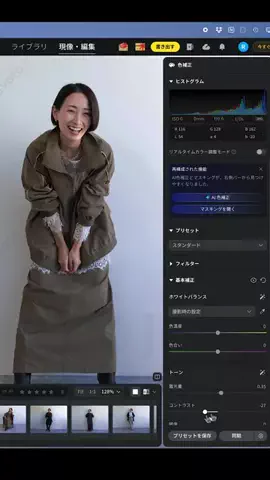
Photoshop 写真をネオンラインアートに @rossie_design ◁ほかのデザイン術はこちら! ▼手順はこちら ① M「長方形選択ツール」 ② ⌘+A 画像を選択 ③ 右クリック「生成塗りつぶし」 ④ モデル「Gemini3.1(Nano Banana2)」を選択 ⑤ プロンプトを入力したら生成をクリック 〈プロンプト〉 Transform the photo into a stylized fashion illustration in the reference style. Keep the same woman, same pose, same angle, same expression, same hair style, and same composition. Create a clean, modern line art look with soft pastel tones. Use flowing marker-like lines for the hair in neon colors: cyan, magenta, violet, and blue, with subtle glowing effects. Add cyan and magenta offset shadows behind the figure for a double-exposure / glitch effect. Add slight RGB color fringing along the outlines. Keep the skin smooth and pale with minimal shading. Use delicate line work with soft highlights on the face, lips, and hair. Background: pure white. Do not change the pose, framing, or composition. 覚えておくと便利なデザインテクニックなので、 ぜひ試してみてください。 このアカウントでは、 デザイン制作ににすぐ活かせる 実践的なデザイン知識や考え方を発信しています。 ▷こんな方におすすめのアカウントです ・デザインの基礎から学びたい ・在宅でデザインのスキルアップを目指している ・在宅でデザインの副業に挑戦したい ・デザインを活かして副業やフリーランスを目指したい ・将来に備えて「デザインで稼げる力」を身につけたい #Photoshop #フォトショップ #Adobe #デザイン #初心者
(621時間)
(2026.08.19 16:57時点で取得) 0 コメント 0投稿から25日21時間38分後
(621時間)
(2026.08.19 16:57時点で取得) 4 シェア 4投稿から25日21時間38分後
(621時間)
(2026.08.19 16:57時点で取得) 51 保存 51投稿から25日21時間38分後
(621時間)
(2026.08.19 16:57時点で取得) 2 DL 2投稿から25日21時間38分後
(621時間)
(2026.08.19 16:57時点で取得)